Speech bubble meme generator
Put a speech bubble on any picture. Tap to point the tail at whoever is talking, choose a white bubble or a transparent cut-out, and download a PNG. Works on your own photos, right in the browser. Free, no sign-up, no watermark.
Or drop / paste an image. It stays on your device.
Solid white, works everywhere.
Tap or drag on the picture to point the tail at whoever is talking.
Want the AI to write the joke too? The AI meme generator makes six memes from one sentence, and its editor has the same bubble.
How to make a speech bubble meme
- 1
Pick a picture
Tap one of the faces, open the full template list, or upload, drop or paste your own image. Your own image is processed in the browser and never uploaded.
- 2
Point the tail
Tap the person’s mouth (or the cat, or the car). The tail follows your finger; drag to fine-tune.
- 3
White or cut-out
White is a solid bubble that looks the same everywhere. Cut-out punches a transparent hole, so in a chat app the bubble takes on the chat’s background colour.
- 4
Download the PNG
Download or copy it. PNG keeps the transparency. “More editing” opens the full editor for extra text, labels or a caption bar.
White, cut-out, or with text
Three downloads from the tool above, as they came out.
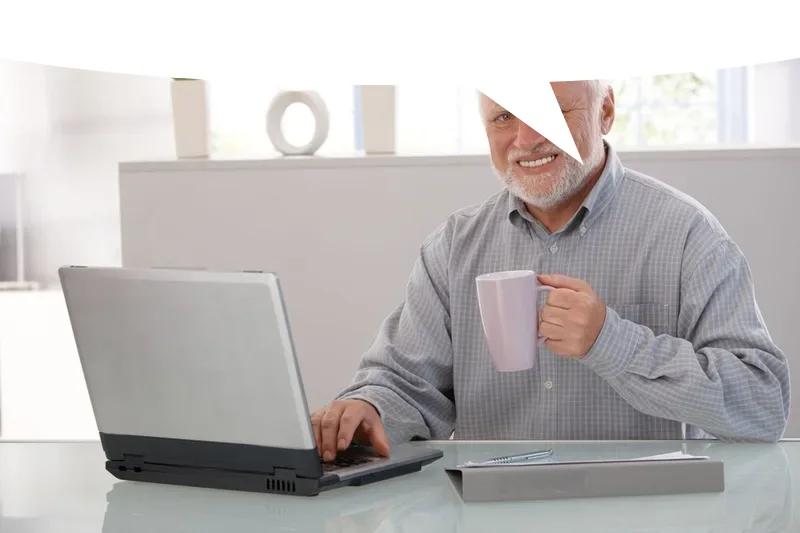
White bubble, no text
The reply-image version: post it under someone’s message and the picture is ‘saying’ it.
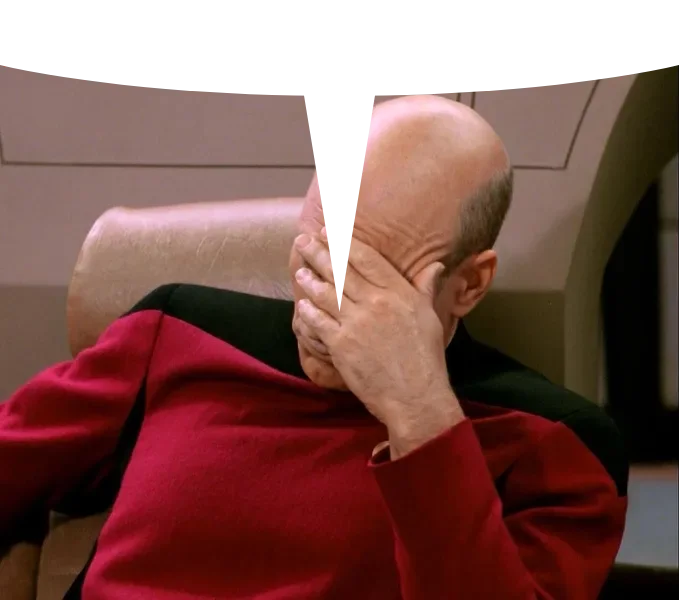
Cut-out bubble
Shown here on a checkerboard so you can see the hole. In a chat app the hole shows the chat’s own background colour.
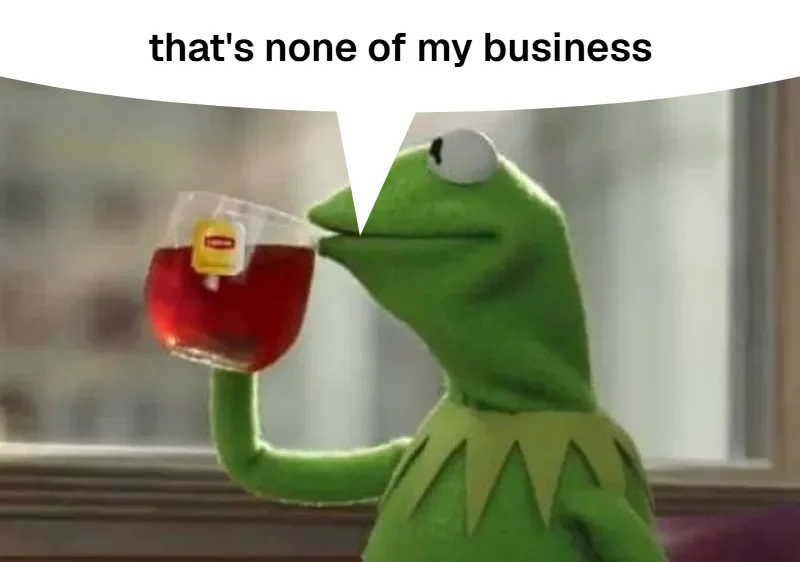
White bubble with text
Type a short line and it sits inside the bubble. Keep it to a few words; the bubble is a speech balloon, not a paragraph.
What people use it for
Reply image in Discord, X or group chats
No text. Post it straight after someone’s message and the picture reads as the one saying it.
Reaction to a screenshot
Drop a screenshot in and point the tail at the person in it. Cut-out looks native in dark-mode apps.
Your pet or friend ‘talking’
Upload the photo, add a line in the bubble, done. Nothing leaves your device.
Comic-style panel
Use “More editing” to add extra bubbles with text inside, labels for people, or a white caption bar above.
White or cut-out?
Pick white when you don’t know where the image will end up: it looks identical everywhere, including in apps that flatten transparency and in JPG re-uploads. Pick cut-out for Discord and other places that show PNG transparency: the bubble takes on the colour of the chat behind it, which is the look most reply images go for. Either way, keep the file as PNG.
Questions
What is a speech bubble meme?
A picture with a speech-bubble shape along the top edge and a tail pointing at someone in it. Posted as a reply, it makes the picture look like it is ‘saying’ the message it replies to. Some versions are a solid white bubble, others are a transparent cut-out that shows the chat background through the hole.
How do I make the bubble transparent?
Choose “Cut-out” and download the PNG. The bubble area is fully transparent in the file. PNG is required for this: if you re-save the image as a JPG the hole turns black or white, because JPG has no transparency.
Why does my cut-out bubble look white or black after I send it?
Apps that recompress uploads into JPG (many messengers do this for photos) fill the transparent area with a solid colour, and some previews draw a white or black background behind images. Discord shows PNG transparency; elsewhere, sending the image as a file instead of a photo usually keeps it. If an app flattens it anyway, use the white bubble, which looks the same everywhere.
Can I use my own photo?
Yes. Upload, drag it in, or paste it with Ctrl+V / Cmd+V. The image is resized and drawn in your browser; it is not sent to our server.
Can I put text inside the bubble?
Yes, on the white bubble: type it in “Text in the bubble”. For more than one bubble, bubbles on the side, or other text, open “More editing”, which has the full editor with “+ Bubble”, “+ Label” and captions.
Is it free? Is there a watermark?
Free, no account, no watermark. Nothing on this page uses AI, so there is no generation limit either.
Can I make a speech bubble GIF?
Not yet. The download is a PNG. GIF support is planned; the changelog will say when it ships.